
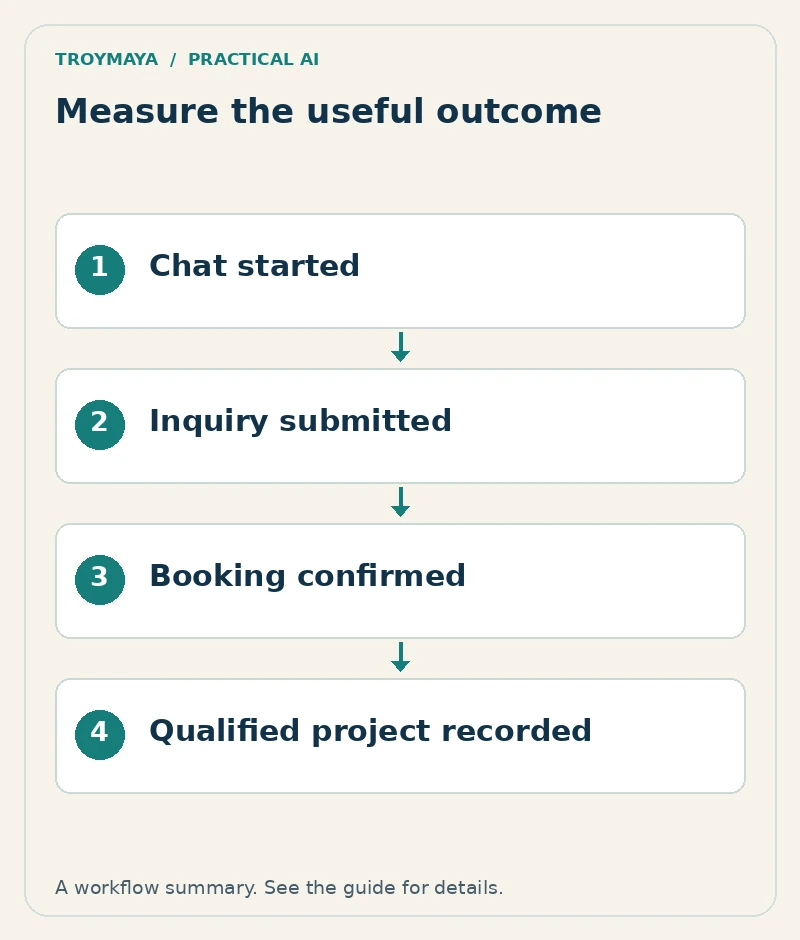
To track whether a chatbot produces leads and bookings, measure each meaningful step separately: chat started, inquiry submitted, booking confirmed, lead qualified, and project won. Connect the website events to the actual records in your inquiry or booking system. A click on “Book a call” does not prove that a call was booked.
Start with a simple measurement plan you can verify manually. More events are not necessarily more useful if nobody knows what caused them or whether they fired twice.
1. Define the events and their evidence
| Stage | Count it when | Evidence |
|---|---|---|
| Chat started | A visitor begins a meaningful interaction. | Defined widget event or conversation record. |
| Inquiry submitted | The inquiry is successfully recorded. | Form or backend confirmation. |
| Booking confirmed | The scheduler confirms an appointment. | Booking record or verified provider event. |
| Lead qualified | A person applies your stated qualification criteria. | CRM or inquiry log status. |
| Project won | The agreed business milestone actually occurs. | Contract, payment, or other defined business record. |
Write down the exact definition used by your business. “Qualified” might mean the request matches your services, budget range, and capacity. Keep that definition consistent when comparing articles or months.
2. Configure analytics around successful outcomes
If you use Google Analytics 4, Google documents a recommended generate_lead event. Trigger it from a confirmed lead-submission outcome in your actual integration, rather than from opening the form. Other stages may use documented recommended events or clearly named custom events appropriate to the implementation.
Use the chatbot or scheduler’s supported event interface. A cross-domain booking page may require its own integration to report confirmation. If that signal is unavailable, label the measurement “booking-link click” and keep confirmed bookings in the provider’s records.
3. Keep personal information out of analytics events
Do not send visitor names, email addresses, chat transcripts, or free-text inquiry details into Google Analytics. Google’s PII guidance explains the restriction. Keep the actual customer record in the appropriate business system and use only approved, non-sensitive measurement fields in analytics.
Check page URLs as well as event parameters. A form that places an email address in a URL can expose it through analytics collection. Follow the site’s consent and privacy configuration when implementing tracking.
4. Validate one complete test journey
Use a controlled test: open a relevant article, follow its help link, start the chat, submit a clearly marked inquiry, and complete a test booking if applicable. Verify each event and the corresponding business record. Test validation errors, cancellation, page reload, and repeated clicks so failures and duplicates are not counted as conversions.
Exclude or identify your own test activity when reviewing results. Record which stages could be measured directly and which require manual reconciliation.
5. Read a small funnel honestly
Here is an invented example, not TroyMaya performance data: 200 chat starts lead to 20 recorded inquiries, 8 confirmed bookings, and 3 projects. The inquiry rate among those chat starts is 20 ÷ 200 = 10%. The booked share of inquiries is 8 ÷ 20 = 40%. Those calculations describe this hypothetical group only.
Check whether the same people and time period are represented in each stage. A booking made next month can otherwise be compared with this month’s inquiries incorrectly. Consent choices, device changes, and cross-domain gaps can also limit attribution.
6. Connect content decisions to qualified demand
Review which articles introduce relevant inquiries, not just which attract the most visits. Search Console can show search visibility and clicks; the inquiry and booking systems establish what happened afterward. Keep those measures distinct.
Use the questions from suitable prospects to improve the article and its call to action. If visitors read a pricing-troubleshooting guide but cannot find a review service, clarify that next step before chasing more traffic.
Need a chatbot with measurable business outcomes?
Discuss a chatbot project with TroyMaya. Include the inquiry or booking workflow you want to measure and the systems already in use. Review AI development services for implementation and integration options.
Prepared with AI assistance. Examples are illustrative unless stated otherwise.