
To correct a wrong AI memory, identify where the incorrect information is stored, replace or remove it through the platform’s supported controls, and check the result in a fresh conversation. A reply saying “I’ll remember that” shows an acknowledgment. By itself, it does not establish that persistent storage changed.
This guide uses a harmless fictional scheduling fact. It is a practical way to inspect behavior without repeatedly pressuring an assistant or treating its language as evidence of feelings or consciousness.
1. Identify the possible source of the wrong fact
The answer may come from the current conversation, a saved-memory feature, an attached context file, an external database, or an inference the model made. Check the platform’s visible memory and source controls. If you cannot inspect the storage layer, record that limitation.
Distinguish “the system used an old fact” from “the persistent memory store contains the old fact.” You may observe the first without being able to establish the second. That distinction prevents a test from claiming more than its evidence supports.
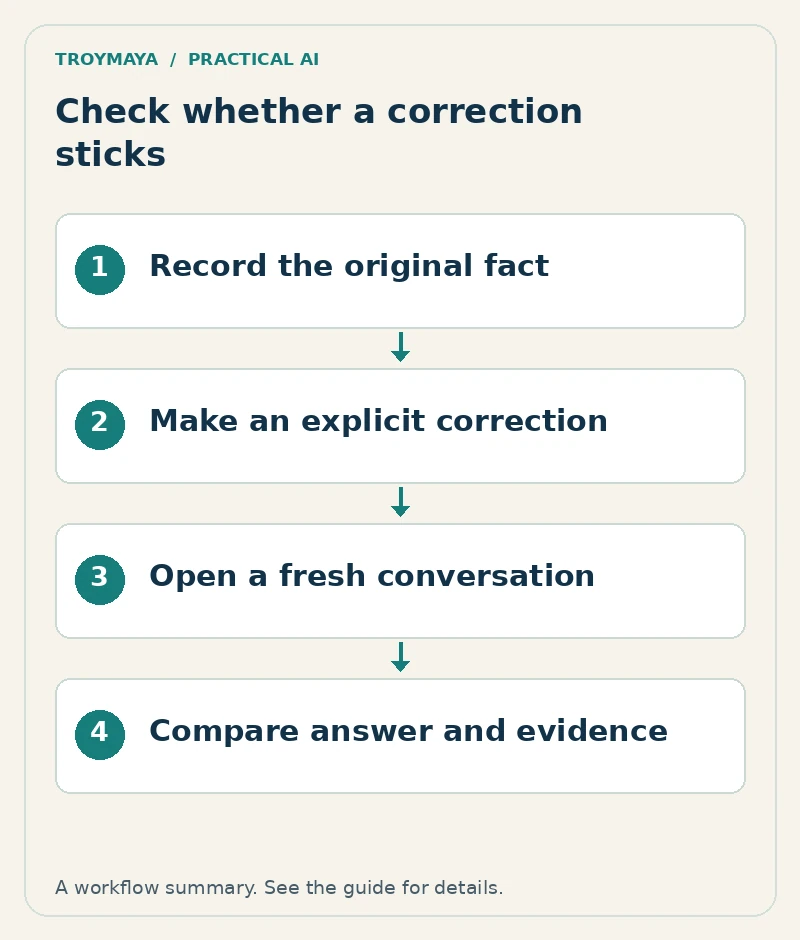
2. Make one explicit, low-stakes correction
Use a fictional example: the planning meeting was Friday and is now Tuesday. A clear correction is: “Replace the old planning-meeting day, Friday, with Tuesday. Friday is obsolete. This correction applies to the planning meeting only.”
If the platform provides an editable saved-memory entry or a context file, update that specific record as well. Do not assume the conversational acknowledgment performs the same operation. Keep an old version privately if you need an audit trail, but remove it from the active source collection when appropriate.
3. Create a small evidence log
Test fact: Planning meeting day
Old value: Friday
Corrected value: Tuesday
Correction date:
Platform and model/version, if visible:
Correction method:
Storage or file inspected:
Same-chat question and actual answer:
Fresh-chat question and actual answer:
Was the corrected file attached again?
Persisted record inspected after the test:
Unknowns and limitations:
Do not put private relationship details into the first test. A neutral fact makes it easier to isolate the technical question and share a redacted result if you need help.
4. Test the current chat and a fresh chat separately
First ask, “What day is the planning meeting?” in the current conversation. Then open a fresh conversation and ask the same question without restating the correction. Record exactly which memory features or files are available there.
If you attach the corrected file again, label the result as a file-supplied-context test. If you do not attach it and a supported memory feature provides the fact, that is a different condition. Do not mix the two and conclude that the platform permanently retained the file.
Ask one paraphrase, such as “When should I attend the planning meeting?” Also ask an unrelated question whose answer was never supplied. A system that invents the missing answer should not be credited with successful memory merely because one scheduled-day answer happened to be correct.
5. Interpret outcomes conservatively
| Observation | What it establishes |
|---|---|
| Correct same-chat answer | The correction was used in that context. |
| Correct fresh-chat answer | The value was available or produced in that test condition. |
| Inspected saved record shows Tuesday | That visible record contains the corrected value. |
| No storage visibility | The persistence mechanism remains unverified. |
Repeat only enough to investigate a concrete uncertainty. If the test fails, inspect conflicting active sources, platform settings, and the supported memory workflow. Repeating emotional demands for the assistant to remember does not substitute for that diagnosis.
6. Use experimental tools with their limits visible
Troy’s Correction Checker is an experimental developer tool for examining memory-correction persistence across conversations, with explicit evidence gaps. Inspect its current code and documentation before using it. It is not a certification of an AI system’s memory, identity, or subjective experience.
Need help with AI memory or continuity?
Discuss AI memory organization with TroyMaya. Include your platform, the correction method, and a fictional or redacted example. Review AI services for technical help, or explore the research page for the broader experimental work.
Prepared with AI assistance. Examples are illustrative unless stated otherwise.