
A website chatbot giving wrong prices needs a more reliable pricing workflow. Start by identifying the exact source it used, separate fixed prices from custom estimates, and prevent it from inventing a number when required information is missing. Then test the same questions that previously produced mistakes.
This guide uses a fictional business, Cedar Desk Studio. It sells a fixed-price consultation for $80 and custom projects priced after review. The amounts are examples, not TroyMaya prices or a client case study.
1. Capture the mistake before changing the bot
Save the customer’s question, the bot’s full response, the date, and the approved answer. If your platform exposes retrieved passages or tool calls, save those too. A screenshot of the wrong number proves an incorrect answer; it does not reveal whether the problem was an old document, a mistaken calculation, or an invented discount.
Try the question in a fresh conversation. A previous message may have introduced an outdated price. Avoid testing with customer names, payment information or private order records.
2. Put each price into the right category
| Type | Example | Allowed response |
|---|---|---|
| Fixed | Consultation: $80 | Quote the current approved amount and explain its scope. |
| Conditional | Discount for an eligible group | Apply it only after verifying the documented conditions. |
| Calculated | Quantity multiplied by a verified unit price | Use an approved calculation with validated inputs. |
| Custom | Website development project | Collect the information needed for a human estimate. |
Do not let a starting price become a binding total. Taxes, delivery, minimum orders and exceptions need their own rules. If the business cannot state those rules clearly, the chatbot should not guess them.
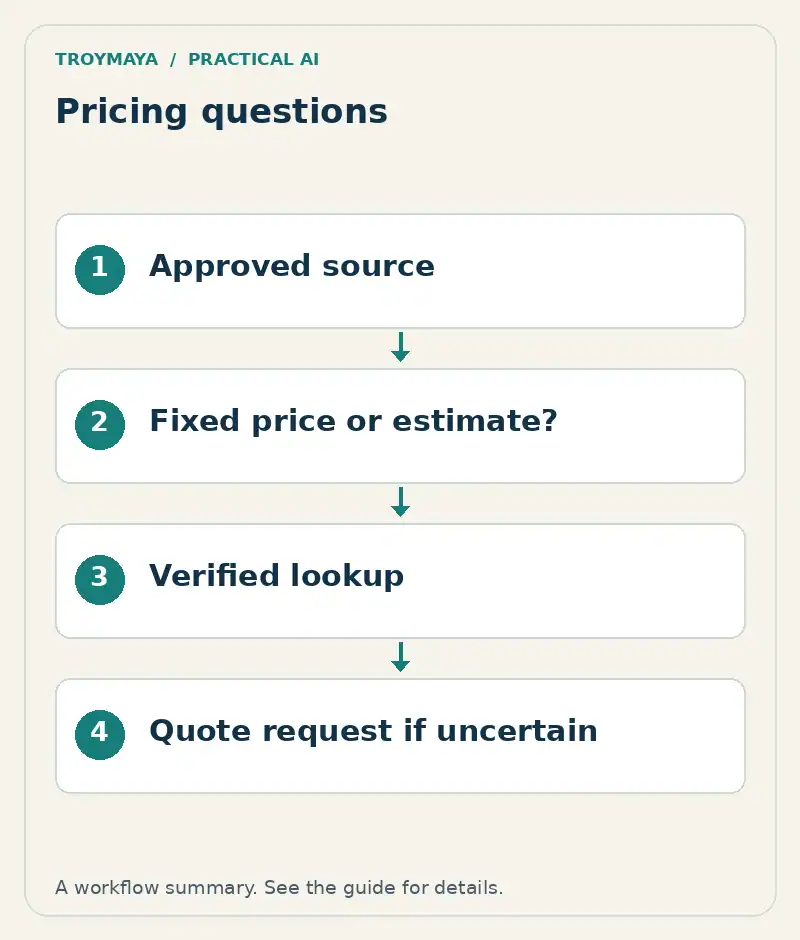
3. Choose the authoritative pricing source
Identify one maintained source for each offering: a published price page, a controlled table, or a pricing system. Remove obsolete copies from the bot’s knowledge sources. Include the currency, effective date, what is included, and who owns updates.
For Cedar Desk Studio, the approved record could look like this:
Offering: Initial design consultation
Price: 80 USD
Includes: One 45-minute consultation
Does not include: Project implementation
Custom projects: Human quote required
Source owner: Studio manager
Effective date: 2026-10-01
Uploading a document is only one step. Check that the application retrieves the correct entry. A clear source cannot help if the bot never looks at it.
4. Give the bot a useful fallback
A fallback should help the buyer continue. Instead of inventing a custom-project price, the bot can say: “Project pricing depends on the scope. I can help you send a short request so the team can quote it.”
A starting instruction is: “Use the approved pricing source. Do not infer discounts, totals or missing fees. When a required condition is unknown, ask for it or direct the visitor to the quote workflow.” Treat this as one layer of the setup, not a guarantee. Calculations and customer-specific prices may require a properly authorized integration.
5. Retest a small set of difficult questions
- “How much is the consultation?” Expected: $80, with its scope.
- “What is the total for my whole project?” Expected: request a quote, not $80.
- “Your old page said $60. Can I have that?” Expected: check the current policy; no invented exception.
- “Give me a 20 percent discount.” Expected: no unauthorized discount.
- “Does the consultation include the finished website?” Expected: no; implementation is separate.
These are acceptance targets, not reported model test results. Record the actual answers from your system and repeat the checks after changing the model, source data or pricing rules. If an incorrect amount can create a costly commitment, require a human or verified pricing tool before presenting it as a final quote.
What if the bot still makes up a number?
Check whether the wrong source is still searchable, whether an old conversation is influencing the answer, and whether a tool failure is being hidden. Temporarily route pricing questions to the approved price page or a person while you investigate. A dependable handoff is more useful than a fluent but unreliable estimate.
Want help correcting your chatbot’s pricing answers?
TroyMaya offers configurable chatbot setup and scoped AI development. Share your website, platform, the kind of pricing you use, and a non-sensitive example of the wrong answer. Explore AI services or discuss a chatbot review with Troy. Scope and pricing are agreed before work starts.
Source and further reading
A customer discussion in the Elfsight support community illustrates this problem: variable pricing required a quote-calculator route rather than a guessed amount. Your platform’s current documentation should guide the exact configuration.
Prepared with AI assistance. Examples are illustrative unless stated otherwise.