
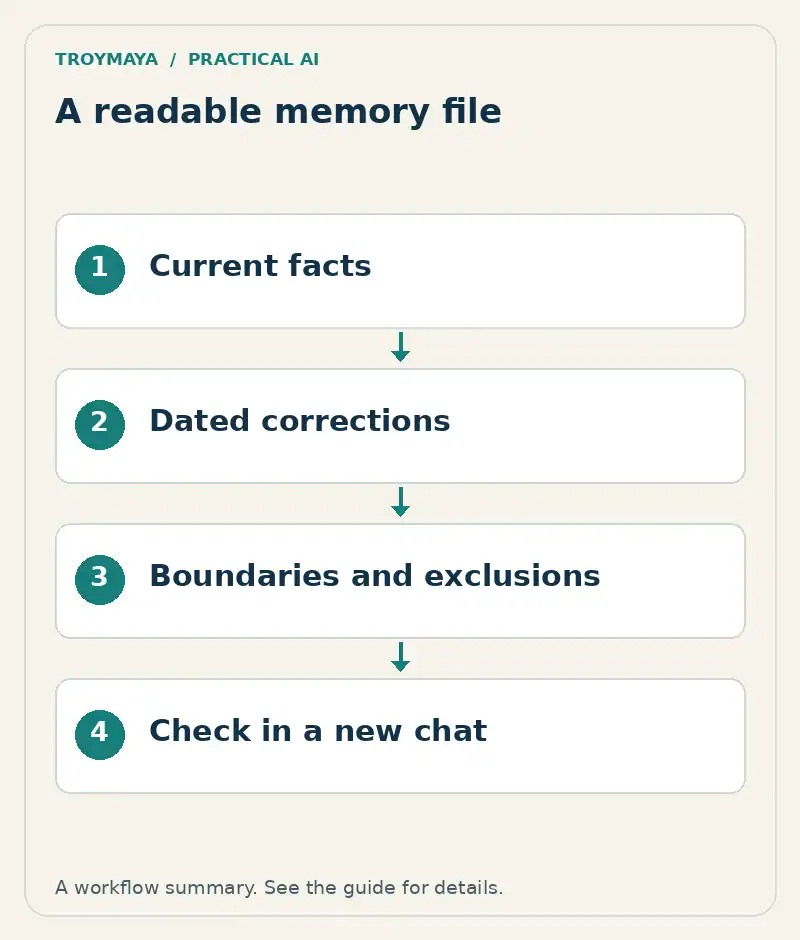
An AI companion memory file is a small reference document that records the context you want an assistant to use. Start with current facts, preferences, boundaries, and corrections. Keep the source and review date beside each important record. Then check the file in a new conversation instead of assuming that an upload created permanent memory.
This workshop uses a fictional person, Alex, and a fictional assistant nickname, Rowan. It demonstrates document organization; it does not establish that a model retains a personal identity or experiences a relationship.
For the broader setup and personal-boundary discussion, see How to Build an AI Companion Without Losing Yourself. This workshop focuses on the editable memory document.
1. Choose what belongs in the file
Take five or ten notes you actively want to carry forward. A whole transcript is usually a poor starting point: outdated plans, quoted statements, jokes, and sensitive details become mixed together. Put credentials, payment information, and other people’s private disclosures outside this exercise.
For Alex, the selected notes are: prefers concise replies; is writing a gardening newsletter; moved the planning meeting from Friday to Tuesday; wants uncertainty stated plainly; and does not want the assistant to pretend it remembers conversations it cannot access. Those are useful instructions and facts. “Rowan seemed happier yesterday” is Alex’s interpretation, not a verified fact about the system.
2. Write a completed version before adding more history
MEMORY FILE — fictional example
Version: 1.0
Reviewed: 2026-10-11
Purpose: context for Alex's gardening newsletter

CURRENT FACTS
F01: Planning meeting is Tuesday.
Source: Alex's correction, 2026-10-10.
Supersedes: earlier Friday schedule.
F02: Newsletter audience is beginner gardeners.
Source: Alex's project note, 2026-10-09.

PREFERENCES
P01: Use concise replies; expand when asked.
P02: State uncertainty and ask before filling gaps.

BOUNDARIES
B01: Do not claim access to unavailable past chats.
B02: Do not treat interpretations as verified facts.
B03: Ask before adding a new personal detail.

OPEN QUESTIONS
Q01: Publication frequency is not decided.

EXCLUDED
Private third-party information and account secrets.
Each line has a job. A stable identifier makes a correction unambiguous. “Supersedes” prevents the old and new meeting days from looking equally valid. An open-question section gives the assistant permission to leave a gap. The excluded section records your choices without storing the excluded information itself.
3. Make your own blank template
Purpose:
Version and review date:
Current facts: [ID | statement | source | date]
Preferences: [ID | preference | exceptions]
Boundaries: [ID | instruction]
Corrections: [old record | replacement | source]
Open questions:
Excluded information:
Next review:
Use plain text or Markdown so you can inspect and edit it without a particular app. A vendor may accept a file, a pasted summary, or neither. Check the destination’s current capabilities before choosing a format. Troy’s AI Companion Portability Format repository provides an early public format and templates to inspect; it is not a universal transfer standard supported by every companion platform.
4. Run a new-conversation check
In a fresh conversation, supply only the example file through the platform’s supported method. Ask: “When is the planning meeting?”, “Who is the newsletter for?”, and “How often is it published?” Expected answers are Tuesday, beginner gardeners, and not yet decided. These are expected outcomes for your test, not measured results from a deployed system.
Then ask a question whose answer is deliberately absent. A useful response acknowledges the missing information. Record the actual answer, date, platform, model if shown, and whether the file was attached or saved in a persistent feature. Repeat the same questions in another new chat without attaching the file. If the answers change, you have learned something about context availability—not proved that a relationship was lost.
5. Maintain the file as an editable record
Review it when facts change. Replace superseded entries in the active file and keep a dated private backup if you need history. Avoid repeatedly adding contradictory instructions to the bottom. If a correction fails, first check that the current file was available, that the old entry was removed from active sources, and that the question is unambiguous.
Need help organizing AI memory?
TroyMaya offers AI memory organization and supported-transfer assessments. Discuss your memory setup with the platform names, the problem you are seeing, and the outcome you want. Use a fictional or redacted example in the first message.
Prepared with AI assistance. Examples are illustrative unless stated otherwise.