If your chatbot keeps giving an old answer after your website changes, check the active knowledge sources, imported copies, retrieval index, and conversation context. Editing the public page may not update every copy the assistant uses. Find the source of the old answer before rewriting the prompt.
A repeatable update process has five parts: approve the change, identify affected sources, retire obsolete active copies, refresh the chatbot’s information, and test the result in a new session.
1. Capture the exact stale answer
Record the question, answer, date, page where the chat appeared, and source link if one is shown. Note whether this was a new conversation or a continuation of an old one. Preserve a redacted example so you can repeat the same test after the fix.
Do not assume the model is remembering an old website from its general training. The answer might come from an uploaded PDF, a manually entered FAQ, a hard-coded message, or earlier chat context. Inspect those sources first.
2. Establish the authoritative replacement
Here is a fictional policy change: a studio used to accept inquiry calls on Saturday, but now handles new inquiries Monday through Friday. Its manager approves the new schedule. The website changes, but a PDF brochure and chatbot FAQ still mention Saturday.
The right correction is not merely “prefer newer information.” Update the specific approved hours and remove the old schedule from the chatbot’s active collection. If the old brochure must remain available as an archive, label and segregate it so the assistant does not use it as current policy.
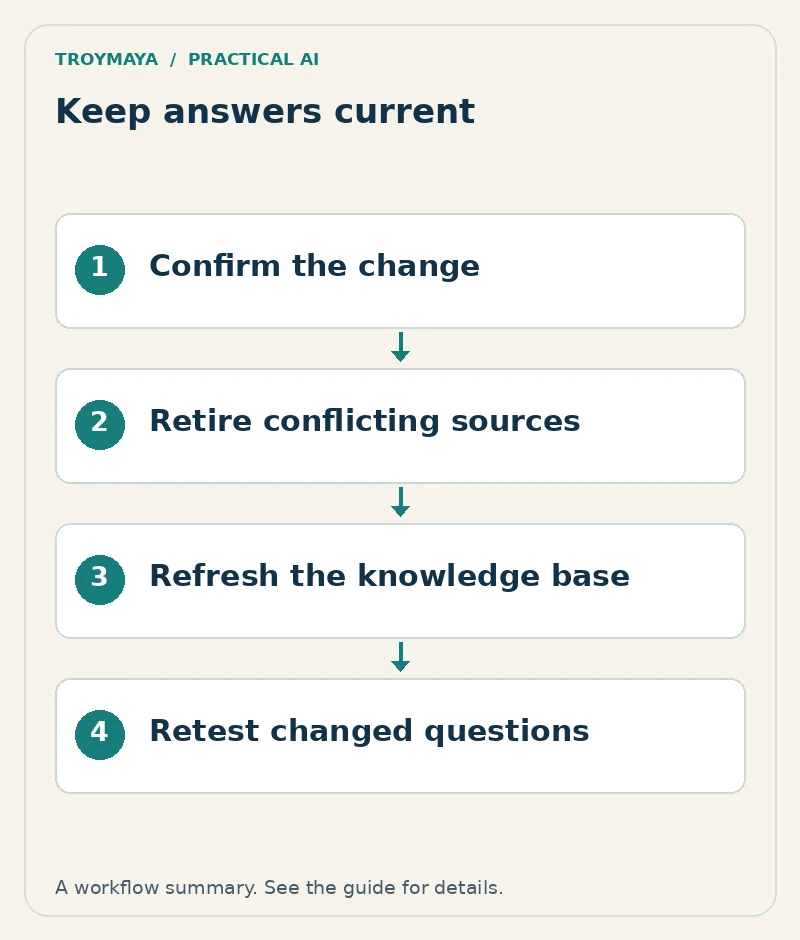
3. Follow the update through every active copy
| Location | Check |
|---|---|
| Public website | Current text is visible to a logged-out visitor. |
| Uploaded file | Old file replaced or removed from active sources. |
| Manual FAQ | Answer and review date updated. |
| Retrieval collection | Refresh or reimport completed successfully. |
| Published chatbot version | Relevant source/configuration changes deployed. |
| Existing conversation | Earlier statements are not being mistaken for current policy. |
Platforms differ in refresh timing and publication steps. Check the platform’s current source-management documentation; for example, Voiceflow describes refresh and import options. A scheduled refresh is not proof that this particular change has already reached the live assistant.
4. Retest the changed fact and its neighbors
For the fictional studio, ask “Can I call about a new project on Saturday?”, “What days do you handle inquiries?”, and “Your brochure says Saturday—does that still apply?” The expected response uses the approved current schedule and identifies the obsolete statement without inventing a reason for the change.
Also test a nearby unaffected fact, such as the inquiry contact method. This catches accidental damage during source replacement. Compare a fresh session with the old conversation. If only the old chat repeats the prior answer, investigate how that platform handles conversation context; do not claim the whole knowledge base is still stale without evidence.
5. Assign ownership and a change log
Change:
Business owner who approved it:
Effective date:
Affected pages, files, FAQs, and automated messages:
Old active copies retired:
Refresh/deployment completed:
Questions retested:
Actual results:
Next review owner and date:
Make chatbot maintenance part of the same process that updates the website. A change in prices, eligibility, opening hours, or service coverage should trigger a review. Keep a small test set for these important facts and rerun it after updates.
If an answer still fails after the sources are clean, inspect retrieval and instructions separately. Adding more copies of the correct paragraph can create new conflicts rather than resolving the original problem.
Need help with stale chatbot answers?
Discuss chatbot maintenance with TroyMaya. Share the old answer, the correct public source, your platform, and when the information changed. Review the available AI setup and development services to see how the work can fit your existing site.
Prepared with AI assistance. Examples are illustrative unless stated otherwise.