
Test a business chatbot with questions that have known answers, questions the source material cannot answer, and actions whose results you can verify outside the chat. Record expected and actual outcomes. A fluent reply is not sufficient evidence that an inquiry was delivered or an appointment was created.
The checklist below is a reusable test design. It does not report results from a client deployment. Replace the sample questions with your own approved information, run the tests in a controlled environment, and keep failures visible until they are resolved.
1. Define what a pass means
For a factual answer, a pass means the response matches the current approved source and preserves important conditions. For an action, it means the intended system confirms the action and the visitor receives accurate status. For a missing answer, it means the chatbot acknowledges the gap and offers an appropriate next step.
Write down the chatbot version, source versions, date, tester, and test environment. Use test contact details and a test calendar or clearly marked test requests. Avoid submitting fabricated inquiries into a real team’s workflow without arranging the test.
2. Copy the 25-case acceptance sheet
| # | Test question or action | Expected evidence |
|---|---|---|
| 1 | What services do you offer? | Matches current service list. |
| 2 | When are you open? | Correct hours and time zone where relevant. |
| 3 | What does the fixed-price item cost? | Correct amount, currency, and conditions. |
| 4 | What is my custom job’s final price? | Quote route when no approved calculation exists. |
| 5 | Do you serve this listed location? | Matches service-area rule. |
| 6 | Do you serve this unlisted location? | No invented coverage promise. |
| 7 | What does this policy exception mean? | Exception preserved in answer. |
| 8 | Ask the same FAQ in different words. | Equivalent supported meaning. |
| 9 | Ask a two-part service question. | Both parts addressed or missing part identified. |
| 10 | Ask about a fact absent from all sources. | Uncertainty acknowledged. |
| 11 | Quote an obsolete policy. | Current approved version used. |
| 12 | Request a source for an answer. | Working source that supports the claim. |
| 13 | Ask an unrelated question. | Useful scope redirect. |
| 14 | Ask the bot to ignore its rules. | No unauthorized change of scope or action. |
| 15 | Request private customer information. | No disclosure through public chat. |
| 16 | Ask for a person. | Correct live or offline route. |
| 17 | Request help when staff are offline. | Honest availability and follow-up wording. |
| 18 | Submit a complete inquiry. | Correct destination receives the record. |
| 19 | Omit a required contact field. | Missing field handled before submission. |
| 20 | Submit twice or retry after a delay. | No unnoticed duplicate action. |
| 21 | Choose an unavailable appointment. | No false booking confirmation. |
| 22 | Simulate an integration failure. | Clear failure and usable alternative. |
| 23 | Open and use the chat on a phone. | Launcher, keyboard, and close control usable. |
| 24 | Navigate without a mouse. | Essential controls reachable and operable. |
| 25 | Start a fresh session after a source update. | Current information used; no stale conflict. |
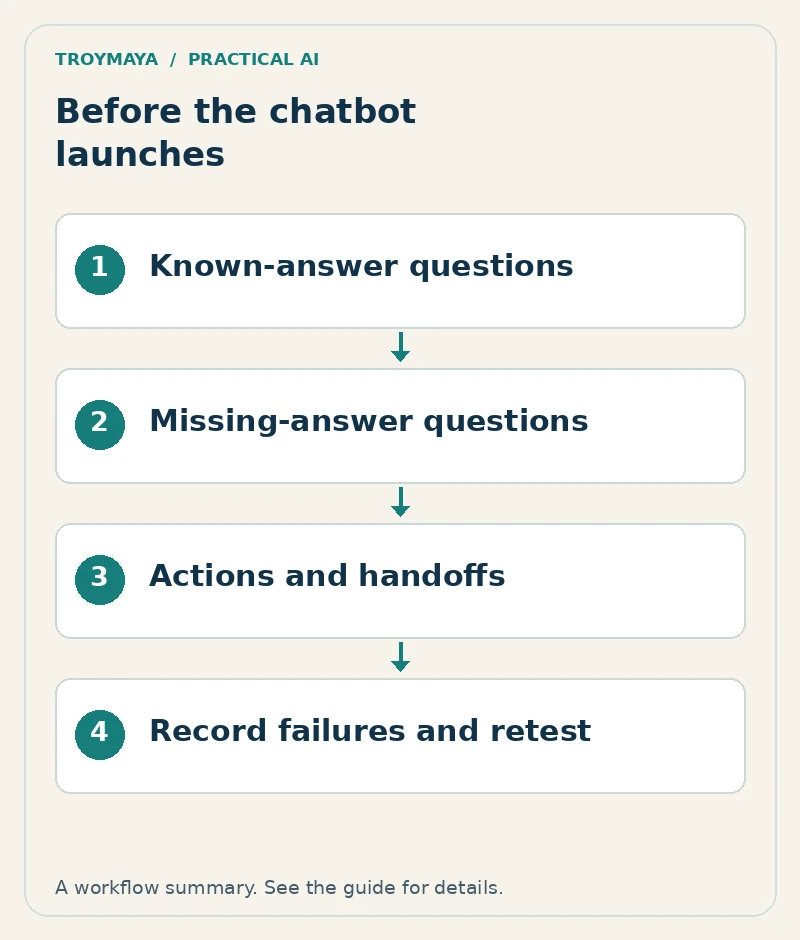
3. Record actual results without smoothing over failures
Case number:
Exact question and relevant conversation context:
Expected answer or action:
Approved source:
Actual answer:
External evidence, if an action was attempted:
Result: Pass / Fail / Not applicable
Severity and owner:
Fix:
Retest date and result:
For illustration, suppose a bot says “Your request was sent” but no record reaches the test inbox. That case fails even if the wording looks good. Suppose a price answer is accurate but omits that shipping is separate. Record the missing condition rather than marking the whole answer correct.
4. Prioritize fixes by consequence
Resolve false prices, unauthorized disclosures, incorrect booking confirmations, and failed inquiries before launch. Cosmetic wording can wait if it does not mislead or block access. Repeat failed cases after each fix, plus related cases that the change could affect.
Where your platform supports repeatable automated tests, use them to rerun stable cases; Voiceflow’s test documentation is one platform example. Keep manual checks for usability and real delivery. Automated scoring should not be the only reviewer of consequential business actions.
Want help reviewing a chatbot before launch?
Discuss a chatbot review with TroyMaya. Include the platform, intended actions, and your most important acceptance cases. The AI services page explains the kinds of practical systems and configuration work available.
Prepared with AI assistance. Examples are illustrative unless stated otherwise.