
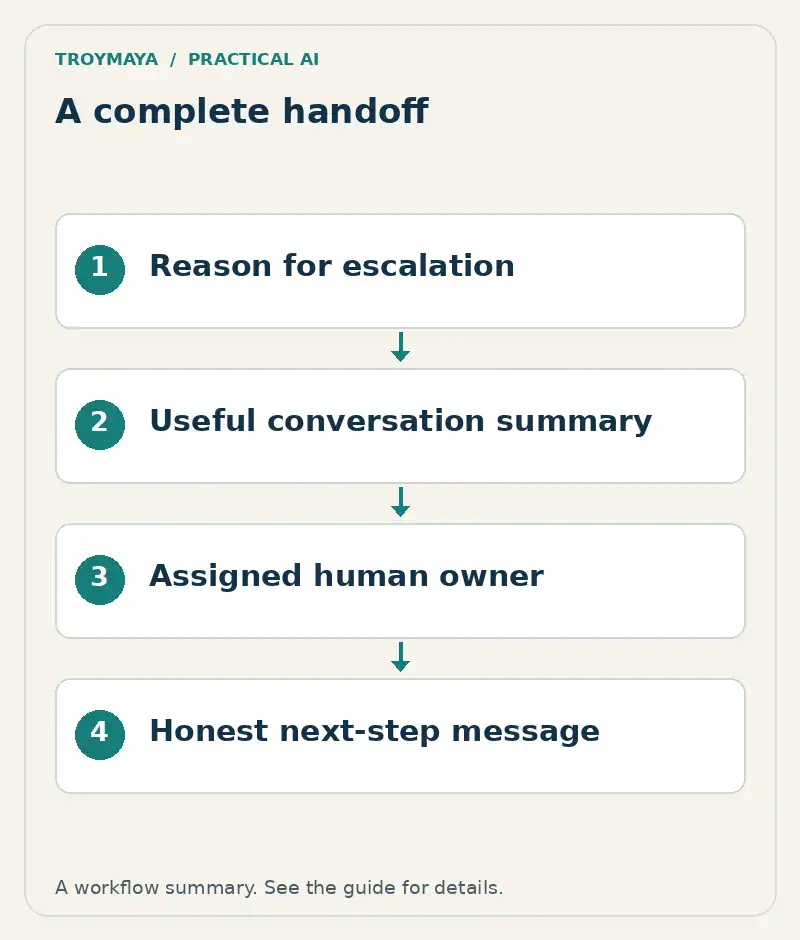
To set up chatbot handoff to a human, define when the bot should stop, collect a useful summary, send it to a monitored destination, and give the visitor an accurate next step. A message saying “connecting you” is not a handoff unless a person can actually join the conversation.
Small teams usually need two routes: live takeover when someone is available and an asynchronous inquiry when nobody is watching the chat. Choose the routes your staffing and software genuinely support.
1. Define handoff triggers
Start with requests for a person, missing information, repeated misunderstanding, account-specific questions, and actions that require staff authorization. Add business-specific triggers such as custom quotes or unusual service requests. A visitor should not have to argue with the bot to reach the human option.
Write the expected action beside each trigger. A request for an invoice should go to the appropriate staff workflow; it should not prompt the bot to invent account access. If the chat is public, avoid collecting unnecessary private details while arranging the handoff.
2. Choose live takeover or a callback request
Live takeover needs an integrated agent inbox, a presence or availability signal, and a way to prevent the bot and human from answering over each other. An email notification is a different workflow. It can be useful, but the visitor must know they are leaving a request rather than entering a live support queue.
Platform capabilities differ. For a concrete implementation reference, consult Voiceflow’s handoff documentation and the documentation for your chosen agent system. Verify that the specific integration supports the behavior you intend to promise.
3. Send a summary someone can act on
Handoff reason: Custom quote requires review
Visitor's goal: Repair a damaged cabinet door
Relevant details: City supplied; material uncertain
Already answered: Business hours and inquiry process
Contact method: Visitor-provided email
Permission: Requested a reply about this inquiry
Next owner: Service coordinator
Unresolved question: Is the material repairable?
Delivery status: Pending / confirmed / failed
This is an illustrative summary, not a real customer record. Separate the visitor’s own statements from the assistant’s interpretation. Include a transcript only when your workflow needs it and your collection practices allow it. Do not bury the actual question beneath dozens of chat messages.
4. Write honest availability messages
For an available live agent: “I can ask a team member to join. Would you like me to share this conversation?” Only report that someone has joined after the system confirms it. For an offline team: “I can send your question for review. Please choose how the team should contact you.”
A stated response window must match the team’s actual process. If you have not established one, avoid “within an hour” or “first thing tomorrow.” Give normal contact information as an alternative. If delivery fails, say so plainly: “I couldn’t send this request. Please try again or use our contact page.”
5. Test ownership, delivery, and recovery
Run one ordinary handoff, one after-hours request, one request with a missing contact field, and one simulated delivery failure in a safe test environment. Confirm that the intended person receives the summary and knows they own it. Then test a second request while the first is still open; the two conversations must not be mixed.
Check what happens if a visitor closes the page. An email-based reply may still work; a browser-only live session may not. Test a phone-sized display and keyboard navigation so the handoff option remains usable. Record actual outcomes rather than treating a successful chatbot message as proof of staff delivery.
Need a workable human handoff?
TroyMaya can help scope a chatbot and human follow-up workflow. Discuss your setup with your chatbot platform, current inbox or ticketing system, team availability, and the handoffs that are getting missed.
Prepared with AI assistance. Examples are illustrative unless stated otherwise.